
Import Recipes Your Way
Bring recipes into My Recipe Book Planner the way you actually find them. Paste from Notes, save recipe links, import screenshots with OCR, and organize everything into one recipe library you can keep and use.
No clutter. No piles of screenshots. Just recipes saved in a way that makes sense.
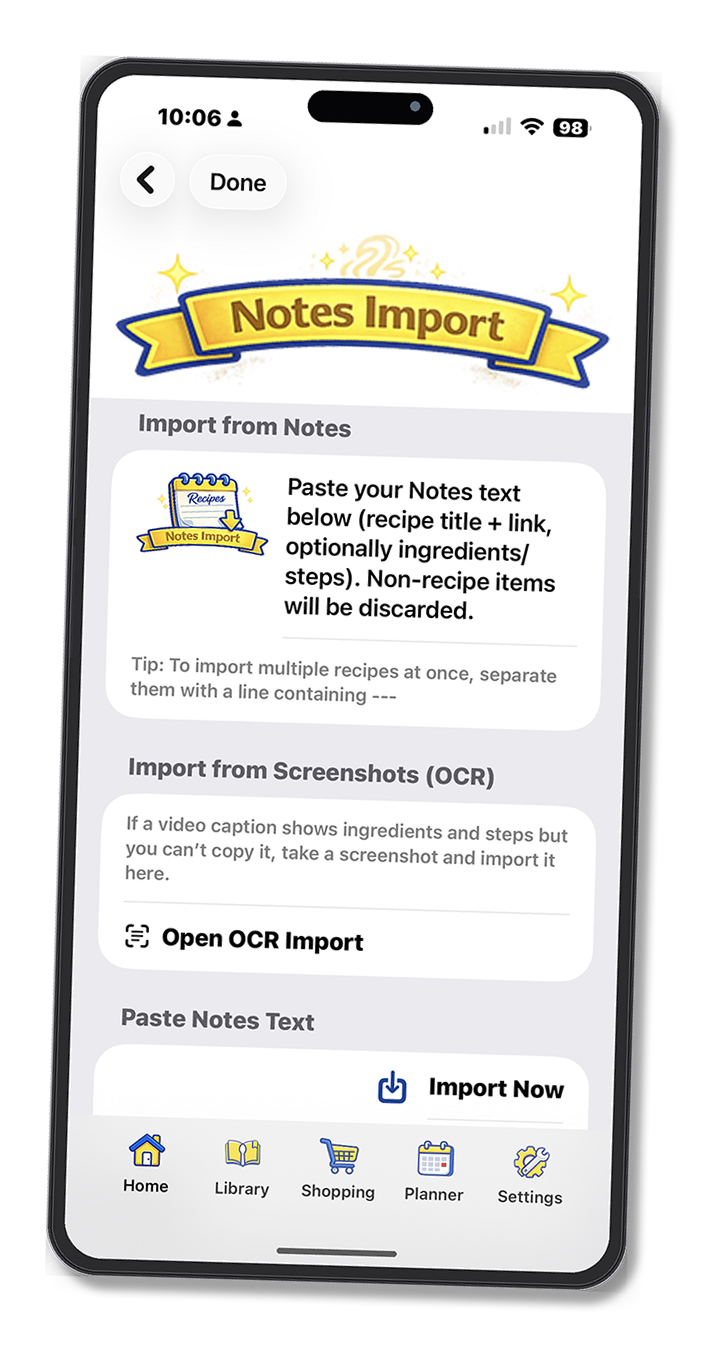
Bring Notes, Screenshots, and Links Into One Recipe Library
Recipes come from everywhere now: Apple Notes, screenshots, social posts, websites, texts from family, and random links you meant to save for later. My Recipe Book Planner gives you one place to bring them together, clean them up, and keep them organized.
Paste from Notes
Copy recipe text from Apple Notes and bring it into My Recipe Book Planner without starting over. It is a fast way to turn loose notes into recipes worth keeping.
OCR Screenshots
Saved a recipe as a screenshot because you could not copy it? Use OCR import to pull in the text and turn that screenshot into something organized and usable.
Save Recipe Links
Keep links from websites and social media tied to your recipe library instead of buried in bookmarks, texts, or open browser tabs you forget about later.
Import Recipes the Way You Actually Cook
Some recipes are polished and ready to save. Others need a little cleanup. That is normal. My Recipe Book Planner lets you edit titles, ingredients, steps, notes, and photos so your recipe library stays useful instead of messy.
Stop Losing Good Recipes
If you have recipes scattered across Notes, screenshots, links, and social media, you already know the problem. The hard part is not finding recipes. It is keeping them in a system you will actually use later. My Recipe Book Planner helps fix that.